Hardware
ncBrain is vBotTech’s own motion controller for CNC machines and robot arms. A fast dual-core 32-bit microcontroller running an RTOS streams G-code straight from the board with its on-board USB Host. It reads flash drives, and with a USB hub a PC keyboard can also be added. The on-board OLED display shows input status and program runs. An RF/Wi-Fi link lets it talk to a hardware MPG pendant. A standard DB25 CNC port connects to a breakout board or a 4-axis CNC driver unit. An RS485 port handles Modbus communication with industrial spindles, and a CAN bus allows expansion to additional axes.
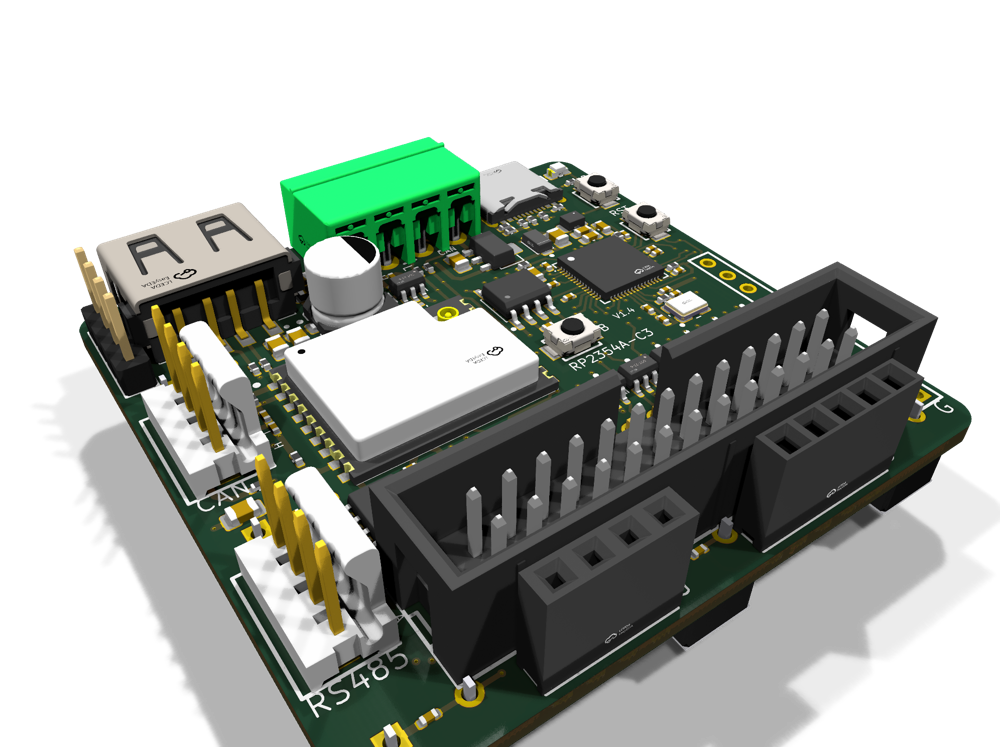
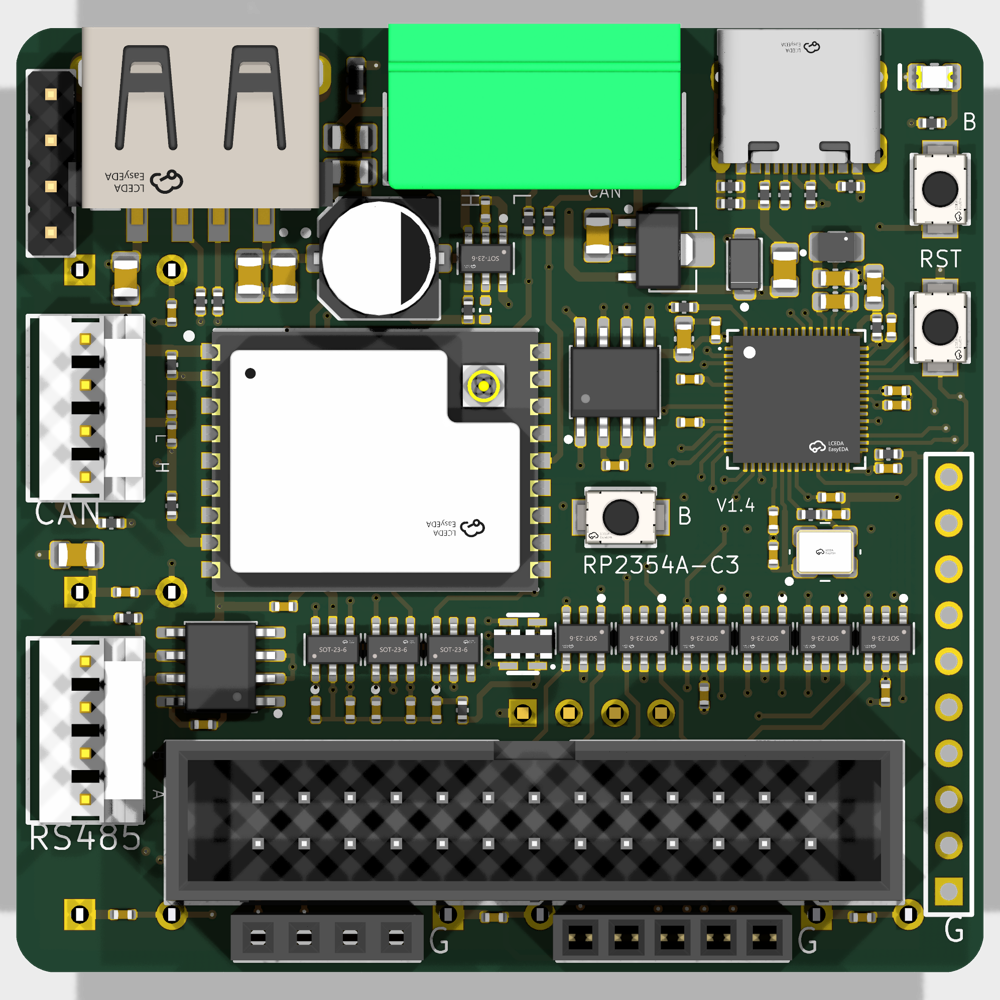
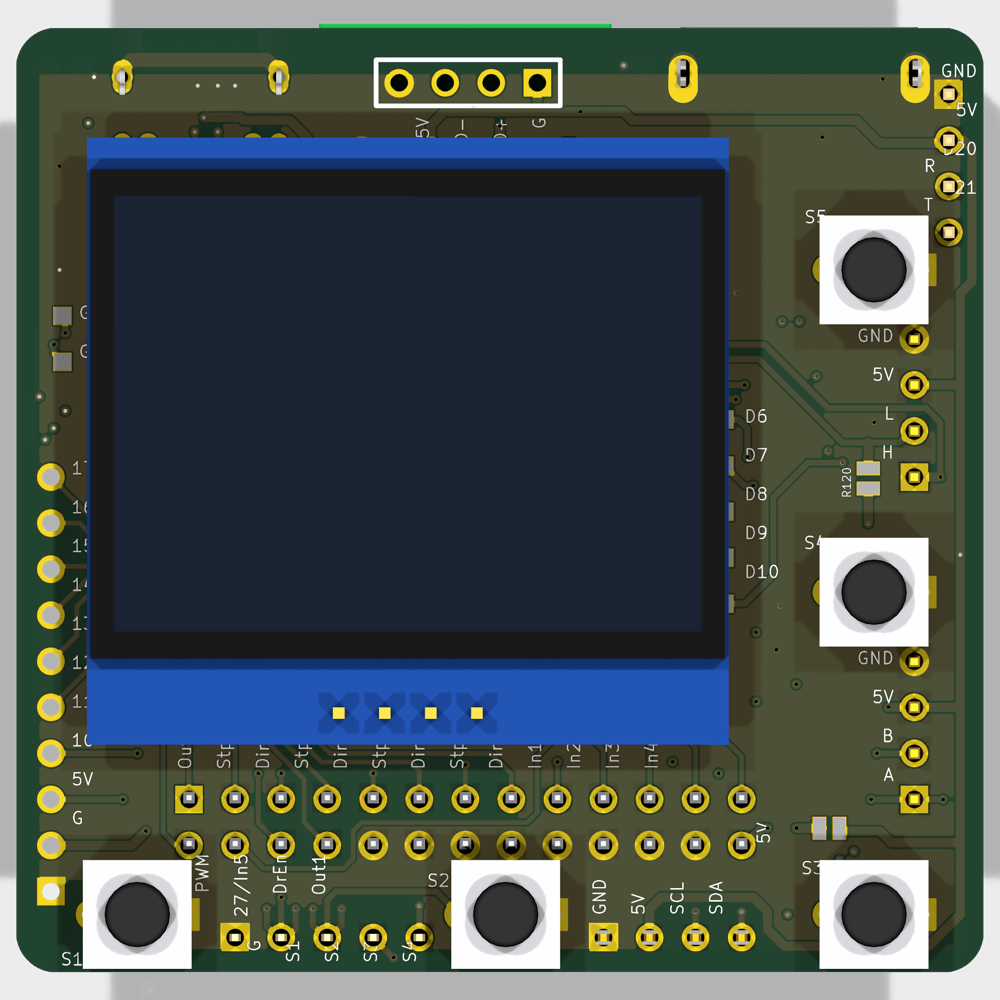
ncBrain pendant OLED: main menu and Run/DRO screen
Software
On the software side, ncRun desktop software handles job running, live position display and 3D toolpath plots, and ncWebLink gives you a browser interface over the internet or directly over Wi-Fi from a phone or tablet. More details coming soon.
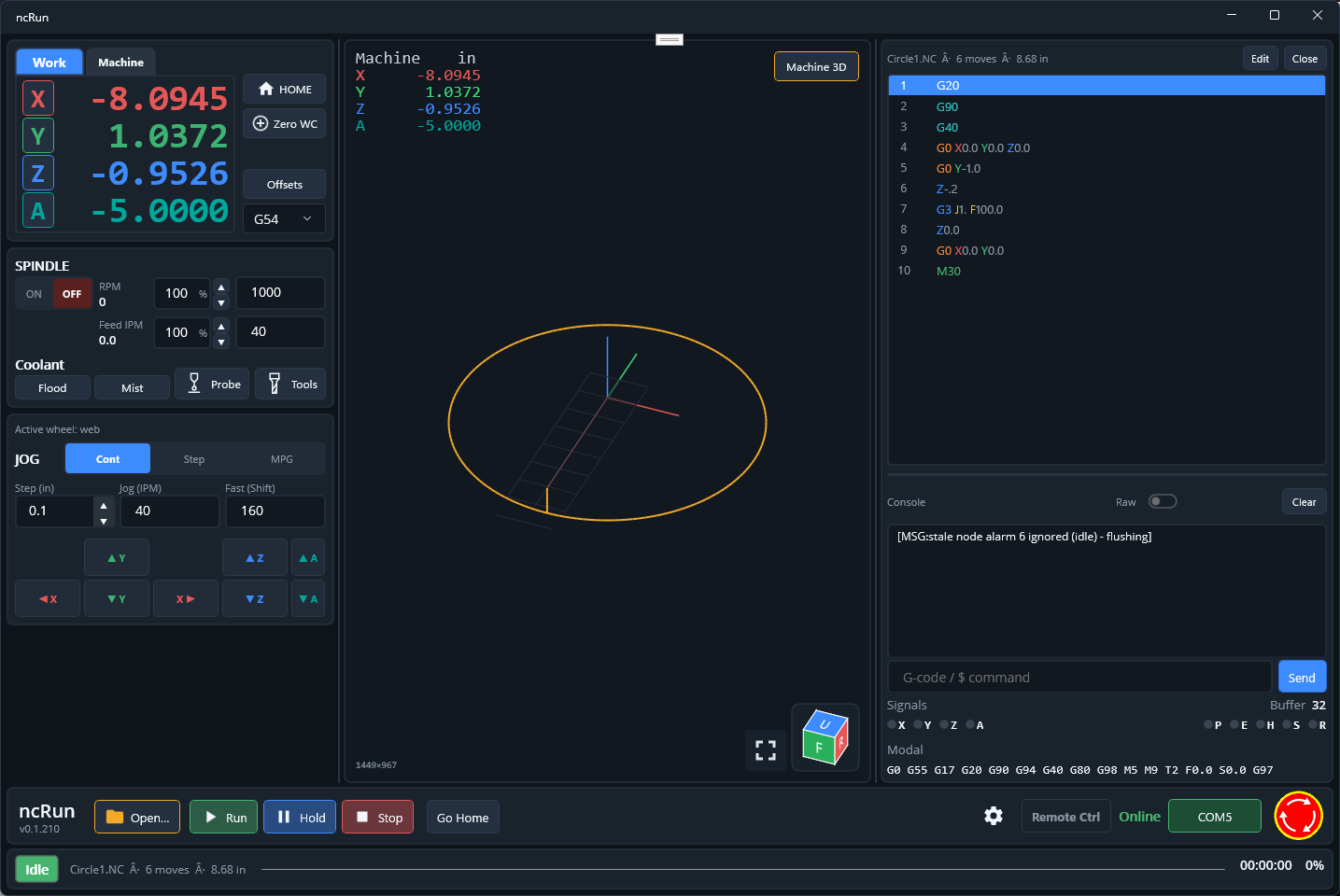
ncRun
Windows desktop controller app for ncBrain: DRO with Work/Machine/WCO, spindle and coolant, Cont/Step/MPG jog, a 3D machine view with toolpath, a G-code editor and a console.
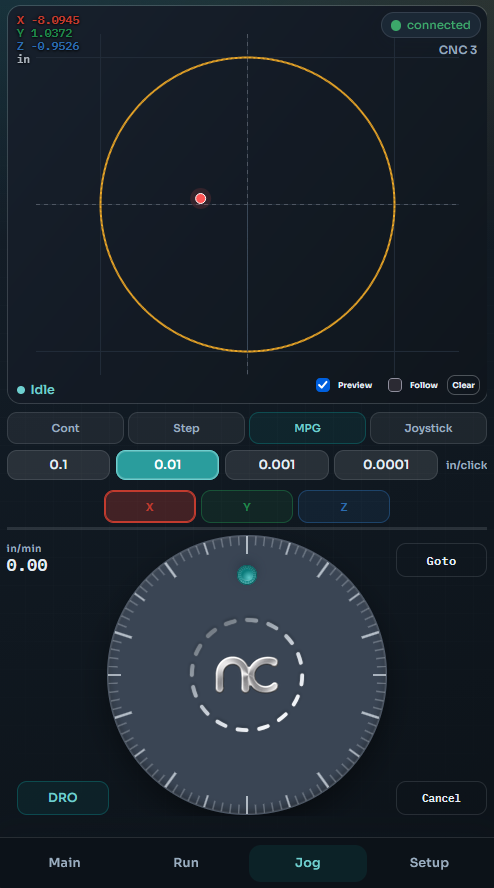
ncWebLink
ncWebLink runs in the browser on your phone, tablet or PC and talks to ncBrain over Wi-Fi. Jog with the on-screen MPG wheel while the 2D plot follows the tool, with nothing to install.
ncMachLink and ncBotLink are alternative interfaces to ncWebLink, so you can pick the one that fits how you work.
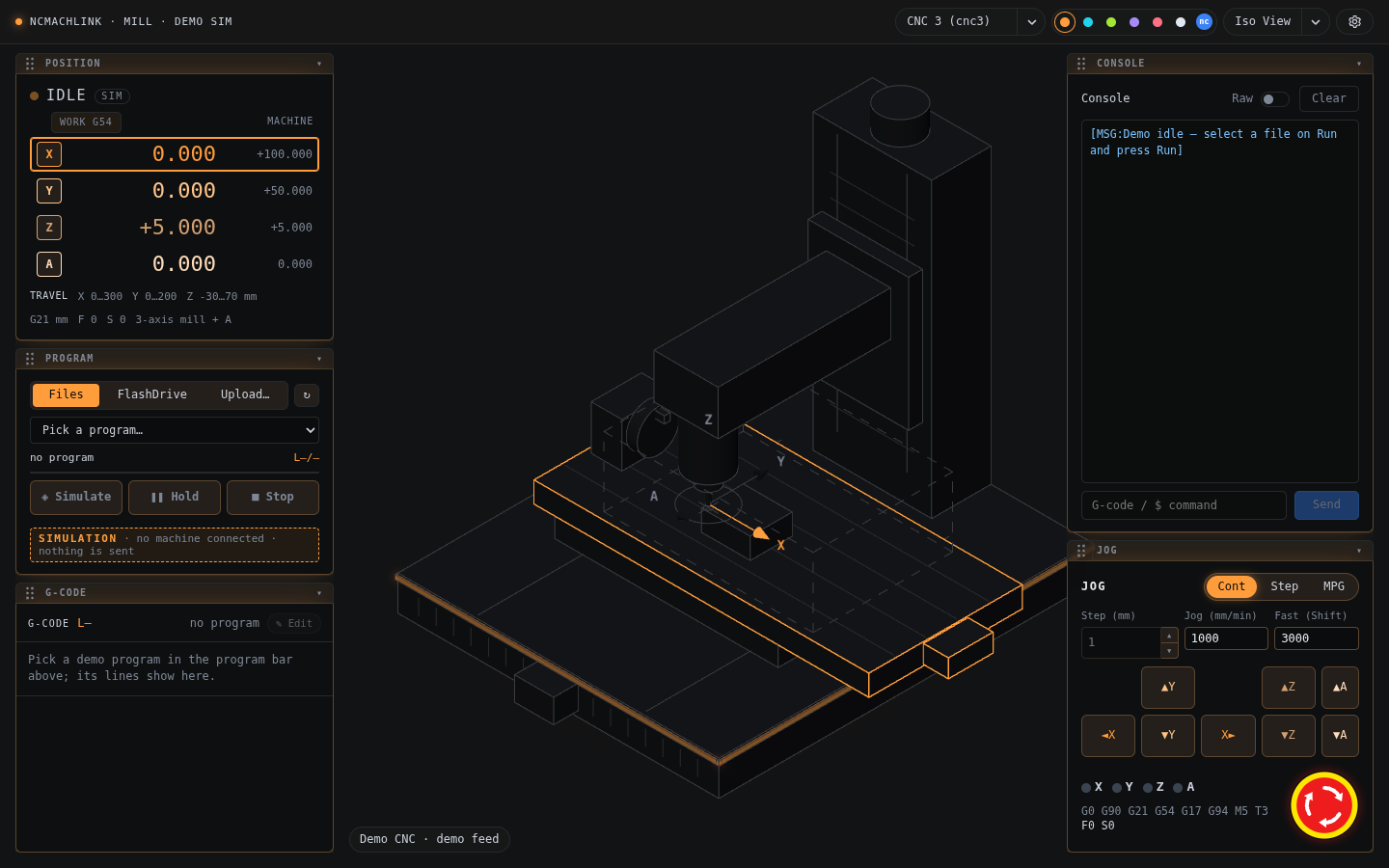
ncMachLink
Browser control panel for the nc Mill, with a live 3D machine view, G-code run, jog/MPG, and Simulate mode when no machine is connected.
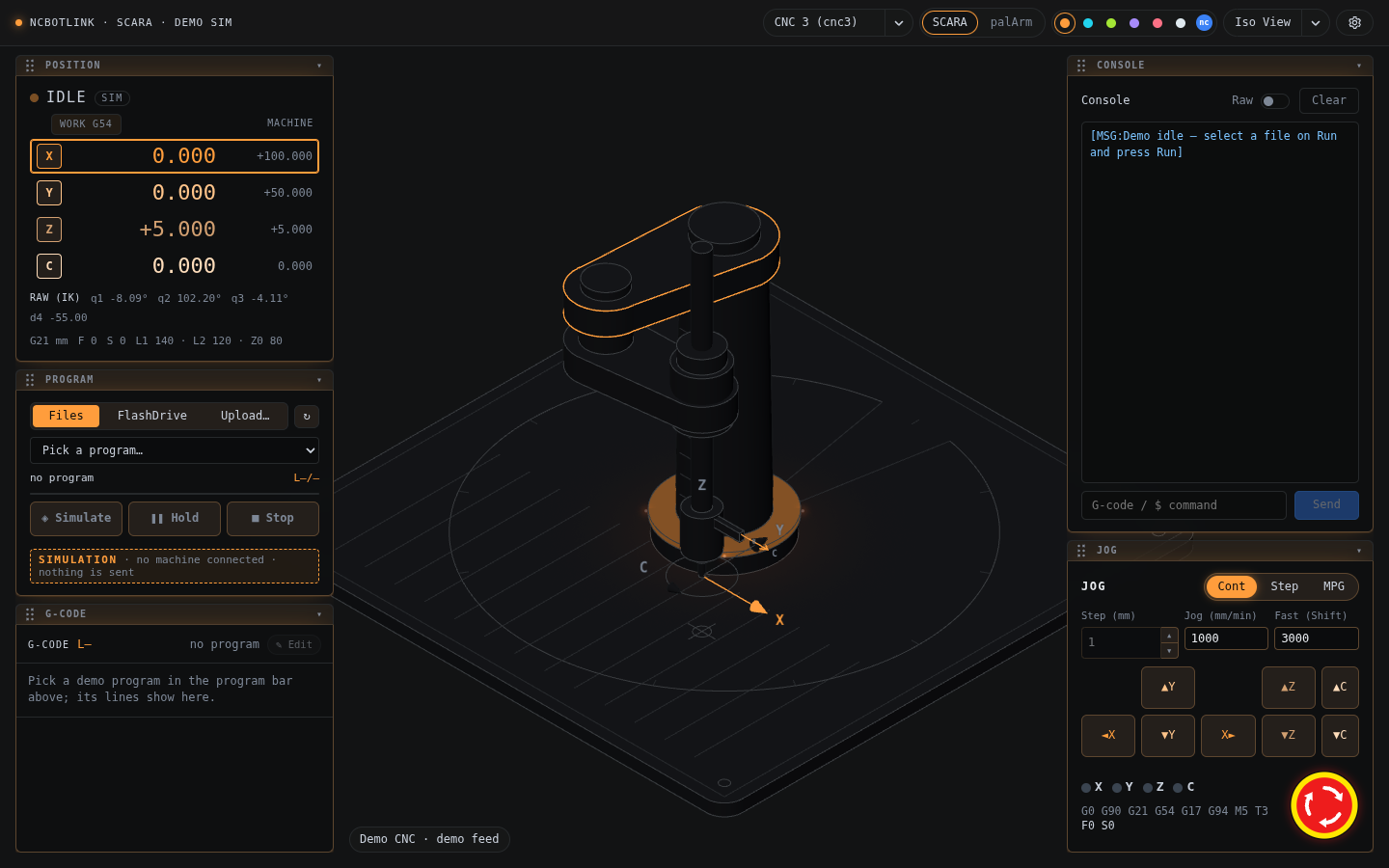
ncBotLink
The same panel for robot arms (SCARA and the 4-axis palArm), with a 3D arm view and Simulate mode.